Orders and payments
My account
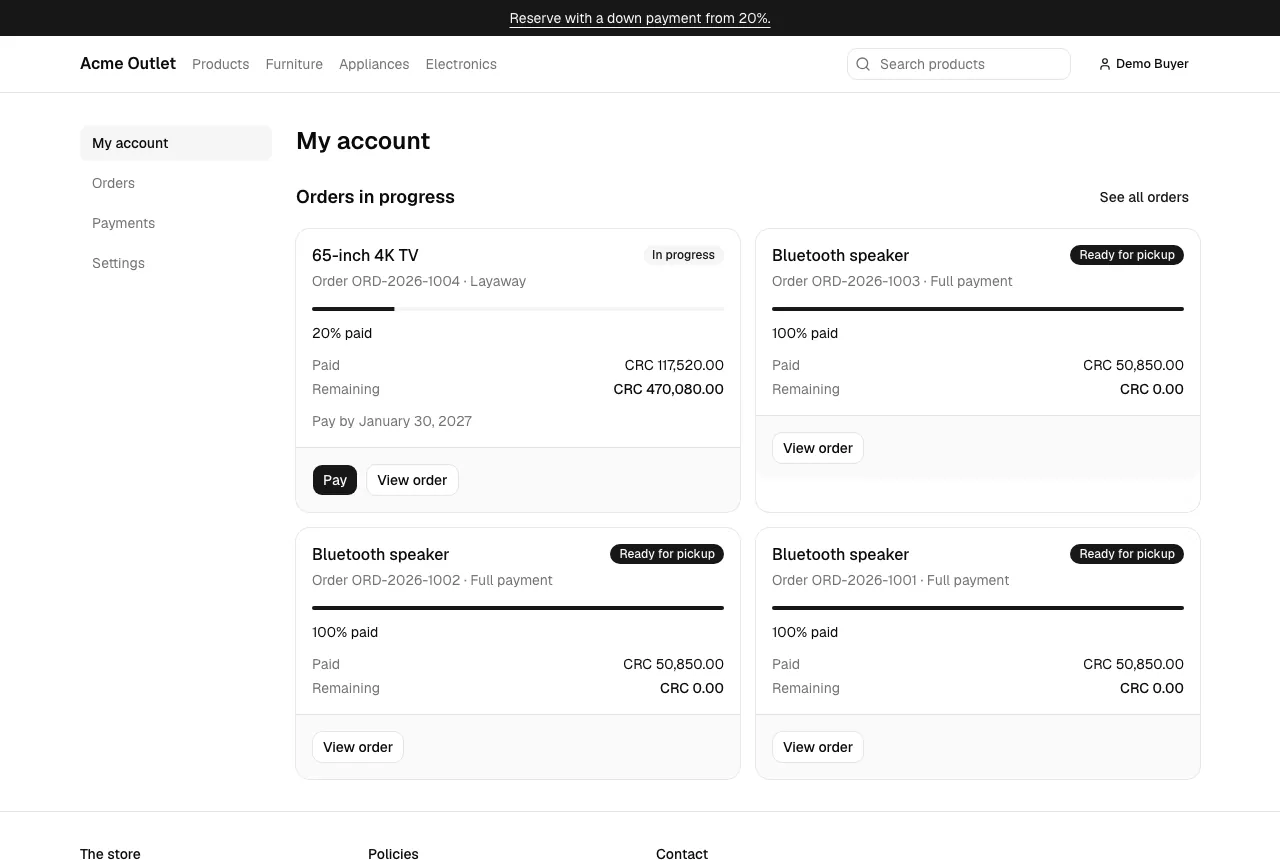
Section titled “My account”My account lists your orders in progress. Each one shows its status, how much is paid (a bar and a percentage), the Paid and Remaining amounts and, for a layaway, the deadline (“Pay by …”). Select Pay to make a payment, or View order for the details.
Order statuses
Section titled “Order statuses”| Status | What it means |
|---|---|
| Waiting for down payment | The order was placed and waits for its first payment. |
| In progress | A layaway with payments, being paid off. |
| In review | Everything is paid, but some payments (such as a transfer) are still being checked. |
| Ready for pickup | Fully paid and confirmed: collect it as the store’s instructions say. |
| Delivered | You have the product. |
| Cancelled | The order was cancelled, for example because no payment arrived in time. |
| Expired | The layaway’s deadline passed before it was paid in full. |
Orders
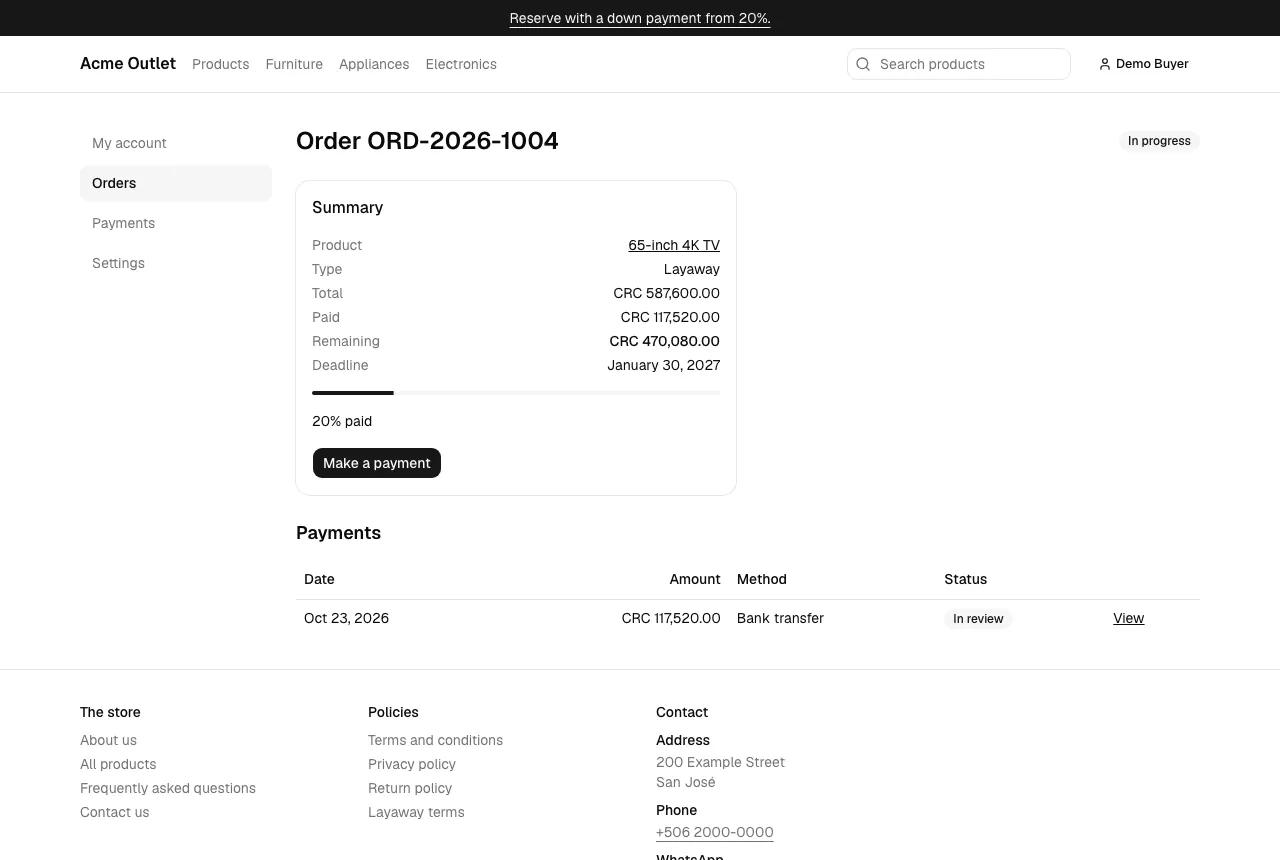
Section titled “Orders”Orders lists all your orders with their code, product, status, total and paid amount; filter them by Status. An order page shows a short note about its status, its summary, a Make a payment button while it takes payments, the pickup instructions when it’s ready, and its payments.
Payments
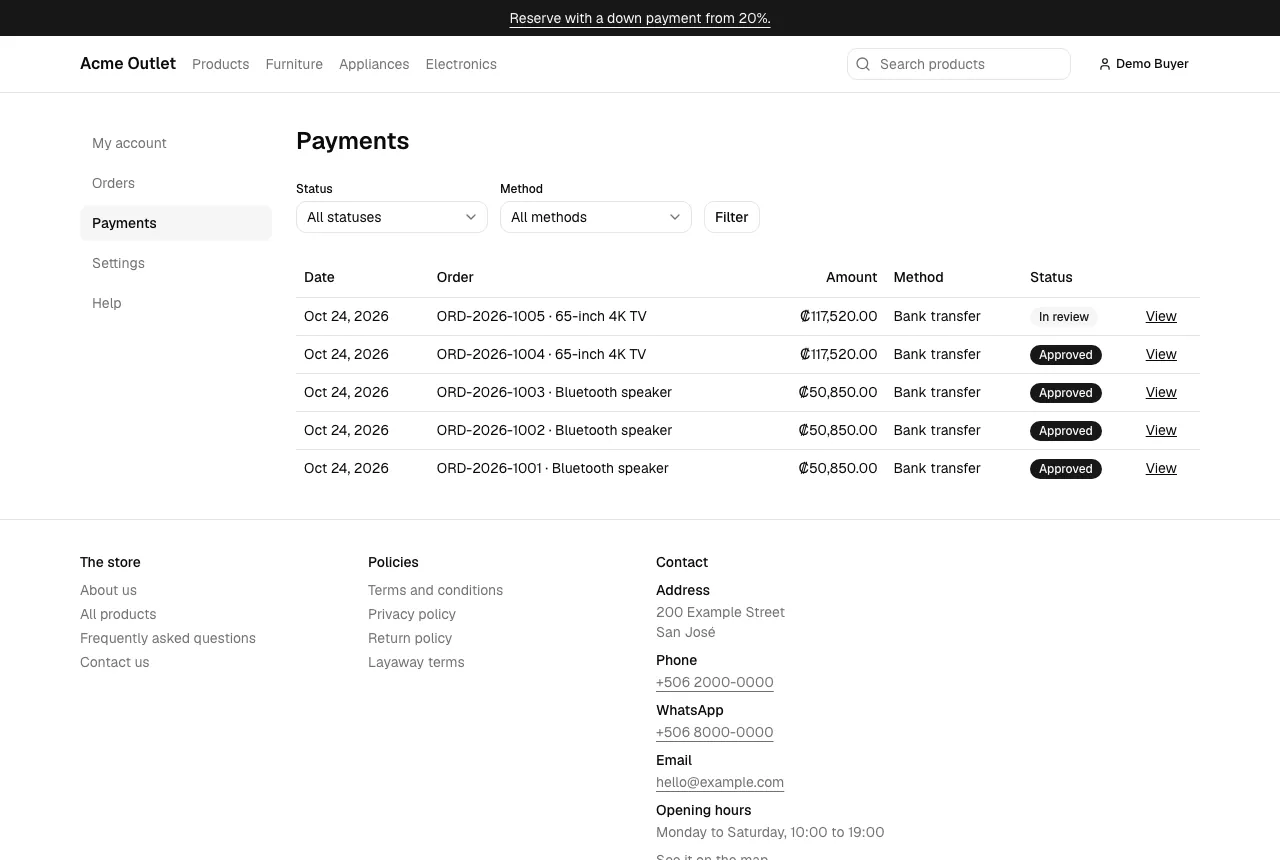
Section titled “Payments”Payments lists every payment with its date, order, amount, method and status. Filter them by Status (In review, Approved, Declined, Refunded) and Method (Card, Bank transfer). Select View for a payment’s details: a declined payment shows its reason, and a transfer links its receipt.