Customers
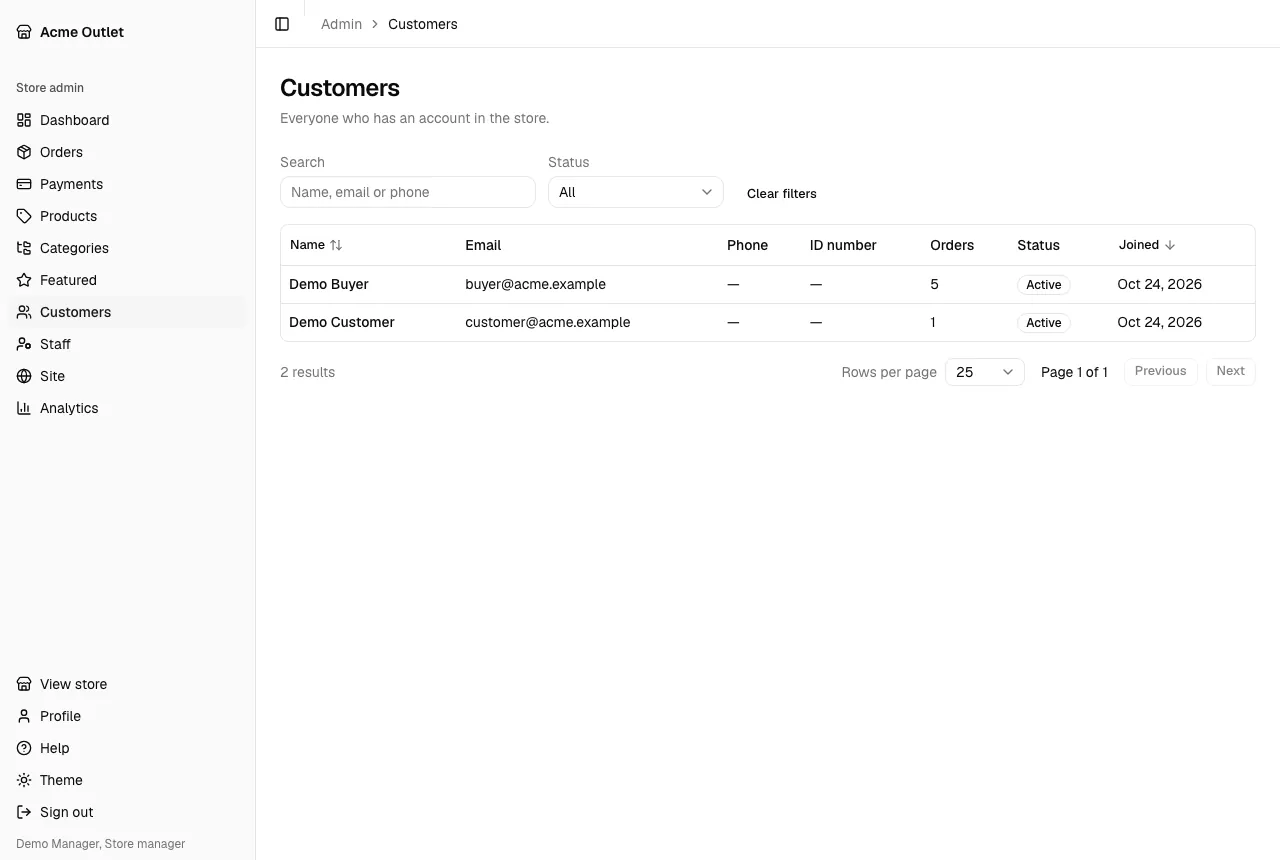
Customers lists everyone who has an account in the store: Name, Email, Phone, ID number, number of Orders, Status (Active or Disabled) and when they joined (Joined).
Filter by Status, or search by name, email or phone (“Name, email or phone”).
A customer’s page
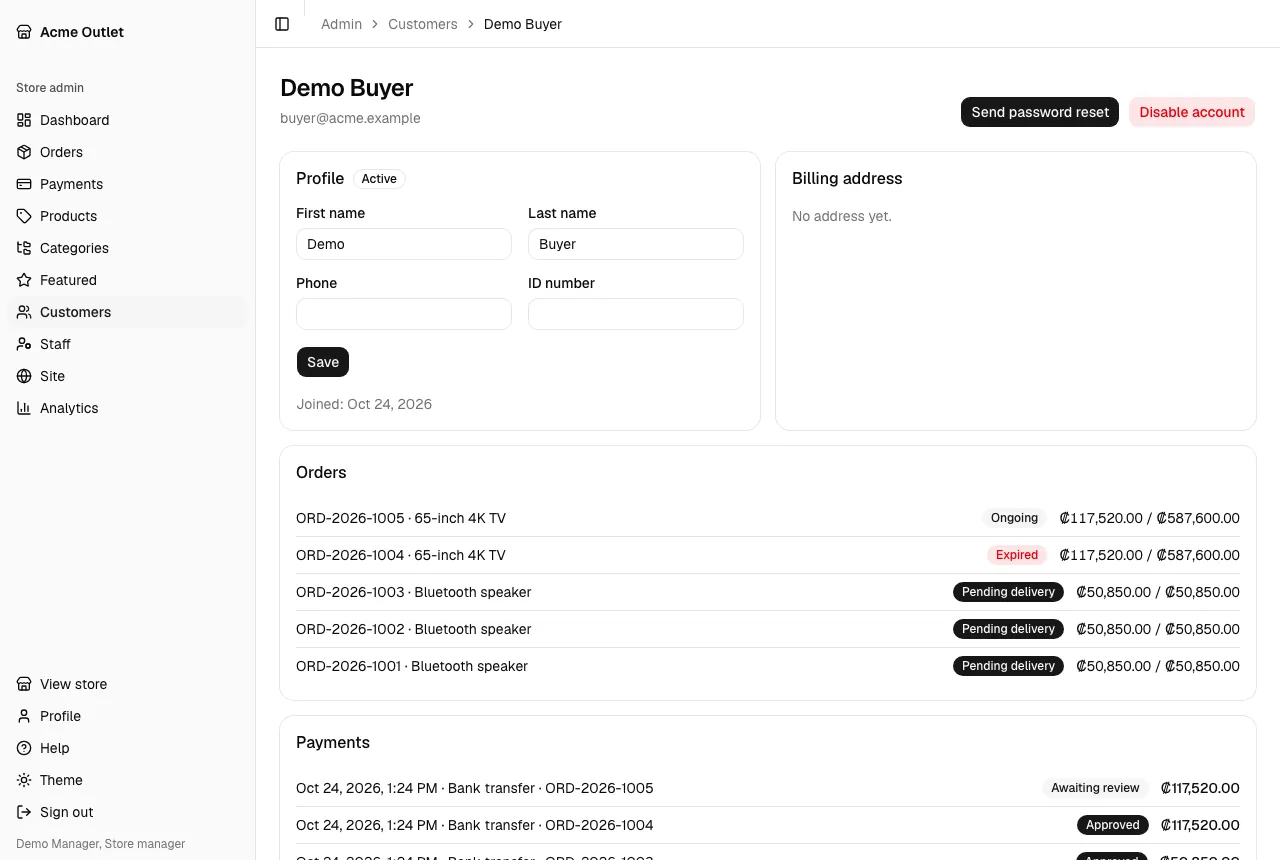
Section titled “A customer’s page”Select a customer to see their Profile, their Billing address (“No address yet.” if they haven’t added one), their Orders and their Payments, each linking to its own page.
Warehouse staff see contact details only: no ID number and no payments.
Changing a customer’s details and account
Section titled “Changing a customer’s details and account”Store managers and store admins can:
- Edit the profile: First name, Last name, Phone and ID number, then save.
- Disable account: the customer is signed out everywhere and can’t sign in until you select Enable account. Their orders stay as they are.
- Send password reset: the customer receives an email with a link to choose a new password, which works for one hour. Use it when a customer can’t get into their account.
A customer’s email can’t be changed from here.