The dashboard
The Dashboard is the first page of the admin. Each card shows one number and a View list link to the matching list, already filtered.
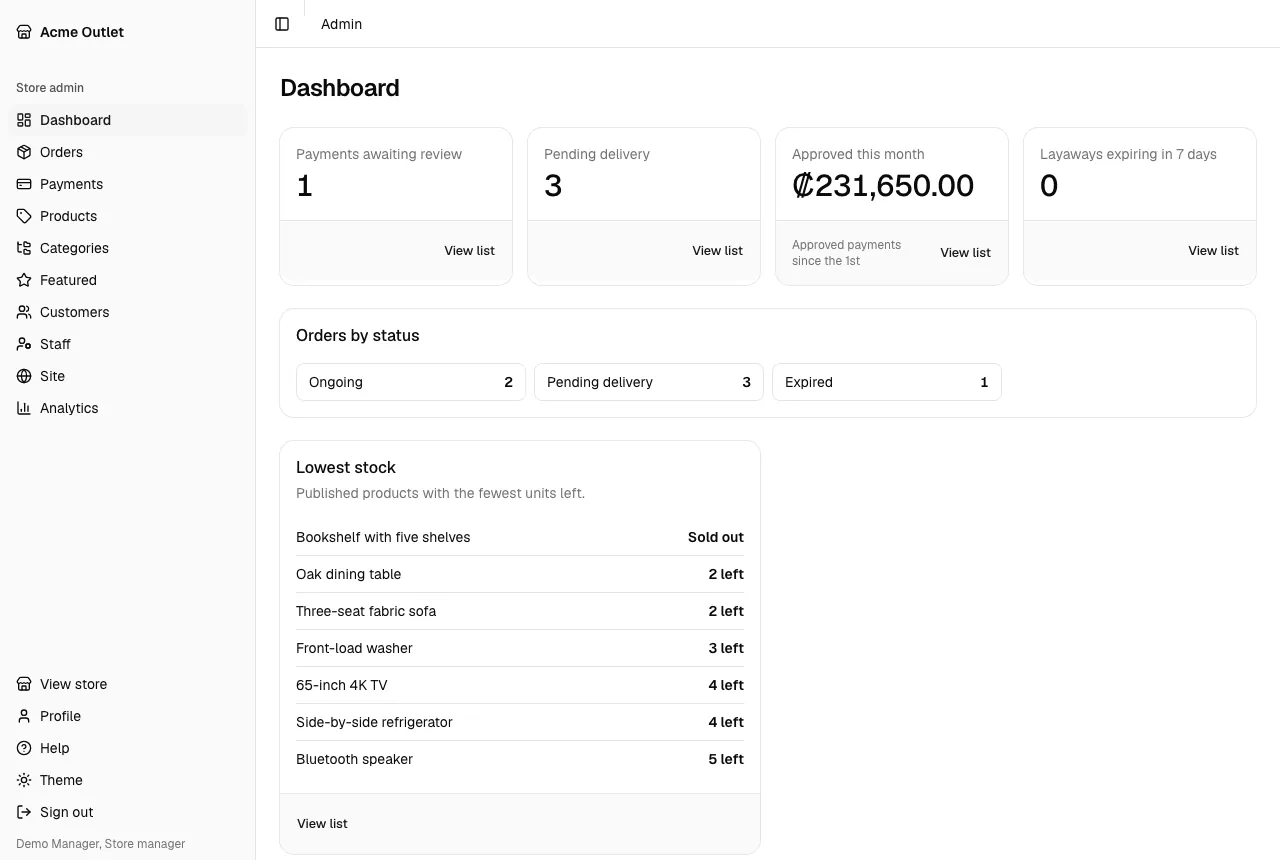
| Card | What it counts | Who sees it |
|---|---|---|
| Payments awaiting review | Payments waiting for approval, such as bank transfers | Accounting, store manager, store admin |
| Pending delivery | Orders that are fully paid and waiting to be handed over | Everyone who sees orders |
| Approved this month | The money from approved payments since the 1st | Accounting, store manager, store admin |
| Layaways expiring in 7 days | Layaways whose deadline is within the next 7 days | Accounting, store manager, store admin |
| Orders by status | How many orders are in each status | Everyone who sees orders |
Alerts
Section titled “Alerts”When something needs a look, an alert appears above the cards. It disappears by itself once the numbers are back to normal.
- Card declines are up (red) shows the share of card payments declined in the last 7 days and the share in the 28 days before. It is shown to staff who see the Sales and Payments reports, with a View the payments report link. It only appears when there were enough card payments to judge; the limits are in the Analytics tab of Settings.
- Layaways without payments lists, per currency, how many open layaways have gone more than the set number of days without a payment and how much is still owed. It is shown to staff who see the Collections report, with a View the collections report link.
- Customers can’t add an address (red) appears when the store has no provinces or states, so customers can’t save a billing address or pay. Store admins get an Import locations link to the Locations tab of Settings; other staff are told to ask a store administrator to import them. It goes away once the store has locations.
Lowest stock and expiring layaways
Section titled “Lowest stock and expiring layaways”Below the cards, two lists name the items behind the numbers:
- Lowest stock shows the published products with the fewest units left (“Sold out” or “# left”), to staff who can see products: warehouse, store managers and store admins. How low is too low differs per store, so it shows the lowest and leaves the judgement to you.
- Layaways expiring in 7 days lists those layaways, soonest first, with each order’s code and customer. Accounting staff, store managers and store admins see it.
Needs a manual refund
Section titled “Needs a manual refund”Staff who can see payments also get a Needs a manual refund list. It shows card charges that Tilopay made but the store did not record as a payment: either the charge came after the order had stopped taking payments, or it was for an amount the checkout did not ask for. Each entry shows the Tilopay transaction number and an Open order link. Refund each one in the Tilopay portal. “Nothing needs attention.” means the list is empty.