Paying by card
The checkout page
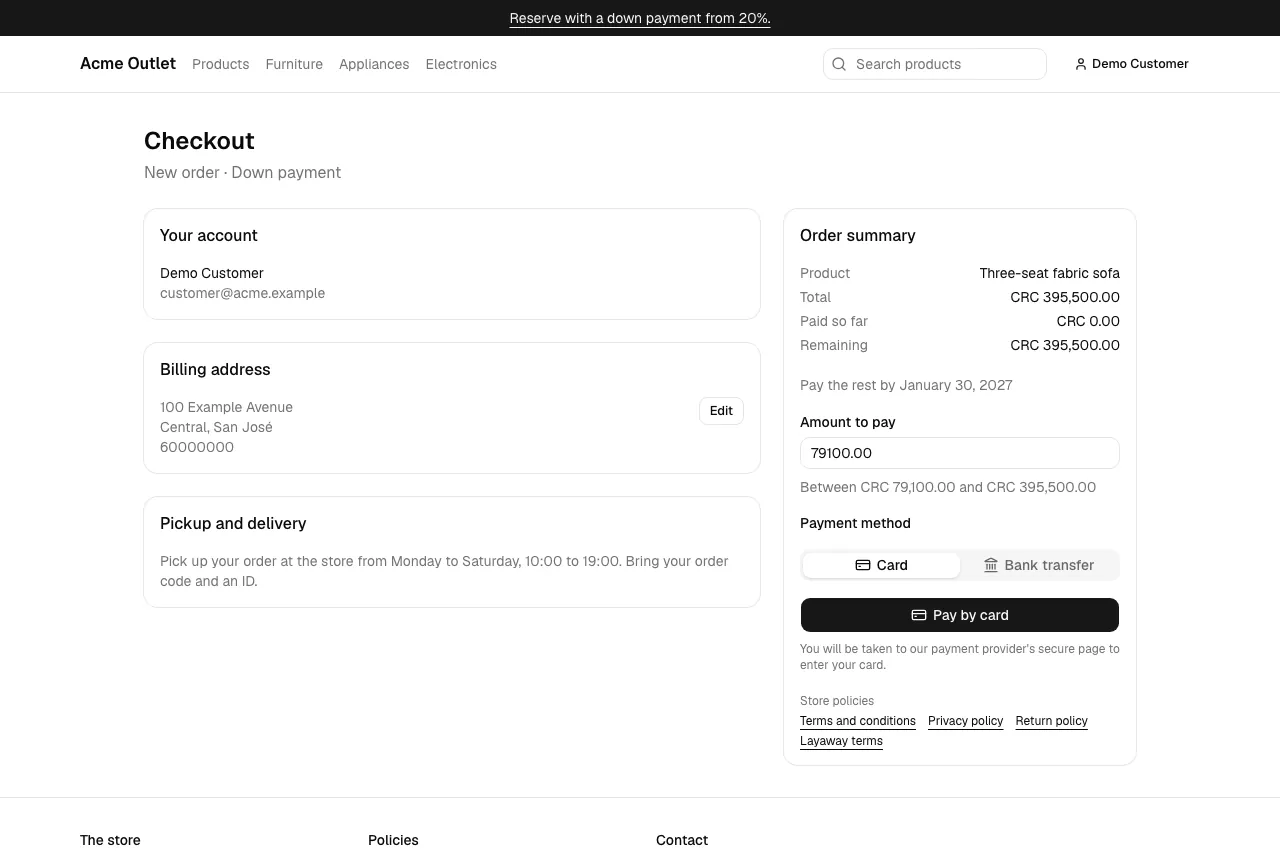
Section titled “The checkout page”After you reserve or buy a product, or select Pay on an order in My account, you reach the Checkout page. It shows:
- Your account and your Billing address. The first time, fill in the address form: you can’t pay until there is one. Select Edit to change it later. If the store hasn’t set up its provinces or states yet, the form shows “This store isn’t ready to take addresses yet, so you can’t add one or pay online for now. Please contact the store.”
- Pickup and delivery: the store’s instructions, when it has any.
- Order summary: the product, the Total, what you have Paid so far and the Remaining amount, and the deadline for a layaway.
- Amount to pay, for a down payment or an installment, with the range the store accepts (“Between … and …”). Type it the way the store’s country writes amounts (1229.43 in Panama, 1229,43 in Costa Rica; either mark is accepted). A full purchase is always paid in a single payment of its total.
- Store policies: links to the store’s terms and policies.
Paying
Section titled “Paying”- Check the amount and select Pay by card (on the Card tab when the store also takes bank transfers).
- You are taken to the payment provider’s secure page to enter your card. The store never sees or keeps your card details.
- After paying, you come back to the store’s Payment receipt.
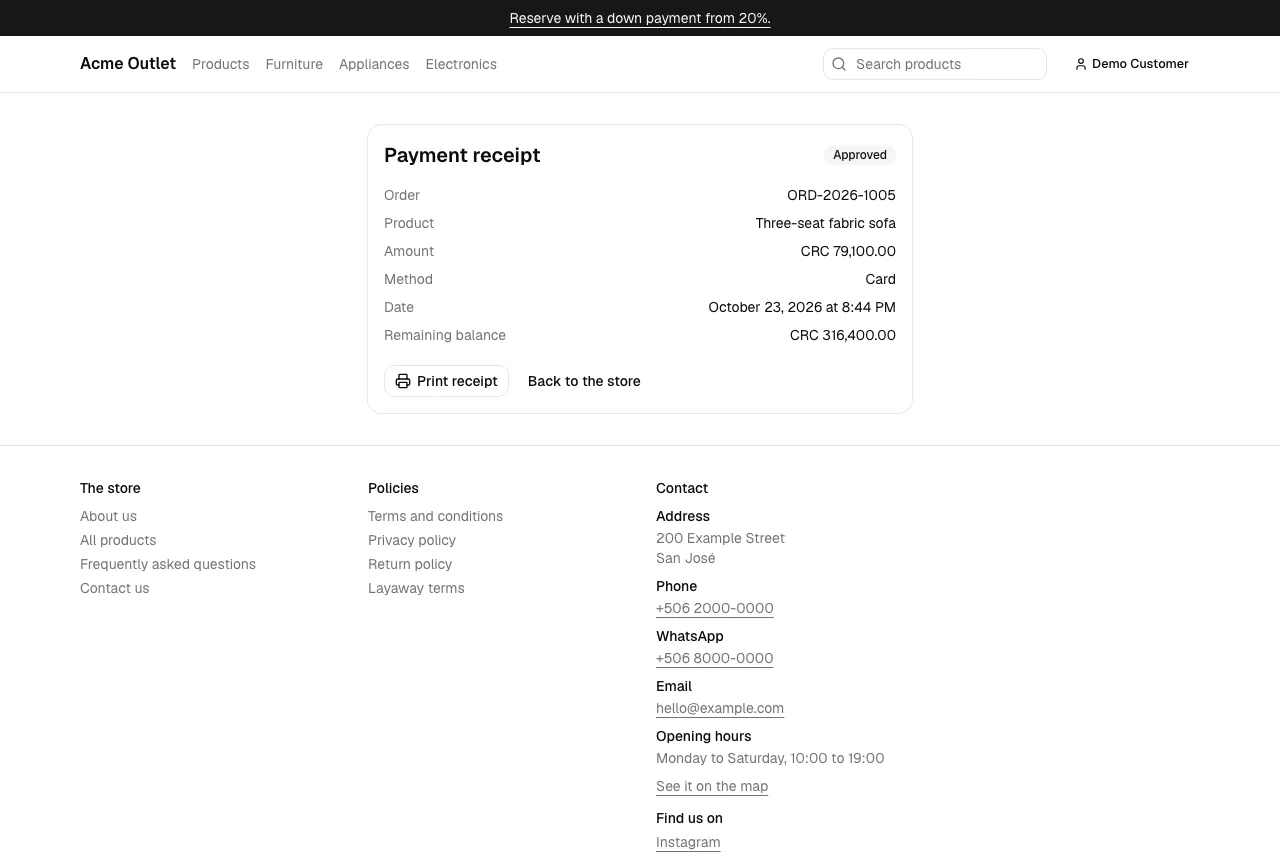
The receipt shows the order code, the product, the amount, the card’s brand and last digits, the status, the date and the Remaining balance. Select Print receipt to print it. An order gets its code (such as ORD-2026-1001) with its first payment; until then it is a “New order”.
If the payment doesn’t go through
Section titled “If the payment doesn’t go through”You come back to the checkout with a message:
- “Your card was declined. You can try again or use another card.” — nothing was charged; pay again with the same or another card.
- “The payment couldn’t be completed and nothing was charged. Please try again.”
- “We received your payment, but this order no longer takes payments. Please contact the store and don’t pay again.” — the card was charged, but the order had changed meanwhile (for example, it expired). Contact the store; don’t pay a second time.
A declined payment also appears in your payments as Declined; its receipt page has a Try again button that takes you back to the checkout.